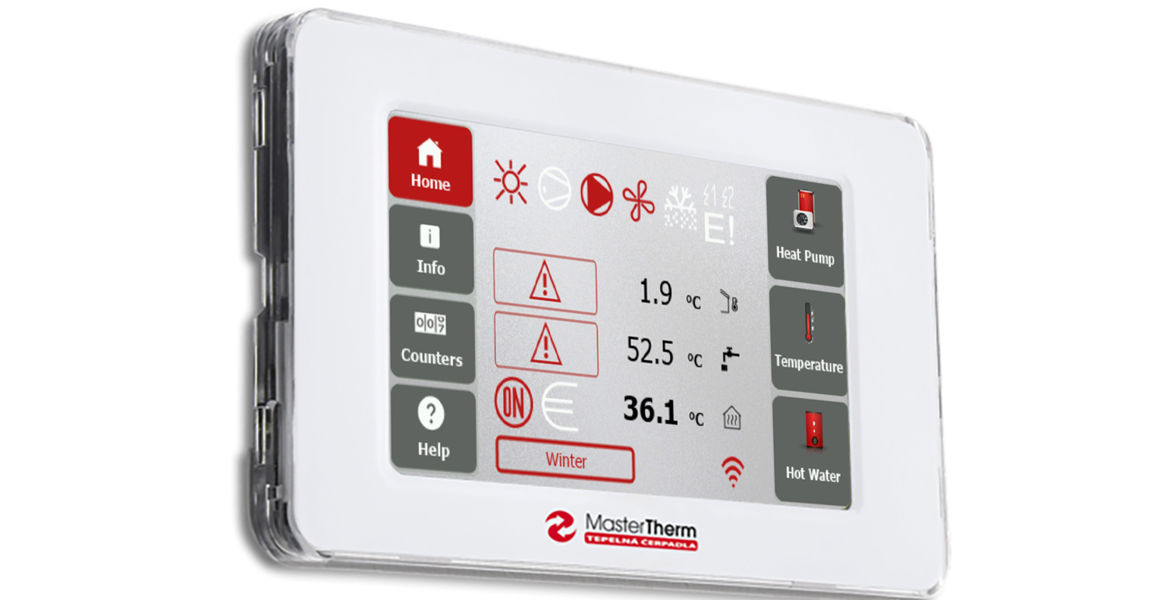
The pGDx touch controller, an integral part of MasterTherm heat pumps, has received a new design and further improvements as part of a software update.
Modern colours
At first glance, the current software (version 1118) stands out with a new colour scheme, dominated by a combination of grey and red in day mode, and black and red in night mode. The modern appearance is further enhanced by elegantly rounded buttons.
Their layout remains unchanged, as both the main screen and individual menus have long been appreciated by users for their clarity and intuitive operation. To maintain easy orientation, the pictograms of individual icons have also remained unchanged.
An even smarter Smart tariff
A major functional update to the software is related to changes in the billing of spot electricity prices. Across almost all of Europe, pricing intervals have shifted from hourly to quarter-hourly. MasterTherm heat pumps have adapted to this change and can now process more data and respond to price changes up to four times per hour. This allows users to take even greater advantage of Smart tariffs.
The United Kingdom remains an exception, as half-hourly tariffs are still in place there. The software for that market had already been adapted accordingly. In Smart Grid mode, MasterTherm heat pumps intelligently respond to spot electricity prices by reducing or increasing output depending on current price levels. The sophisticated control algorithm ensures that user comfort in heating is not negatively affected.
In response to customer feedback, a new button has also been added to provide quick access to individual operating modes directly from the main screen, enabling even more responsive operation.
Twelve languages
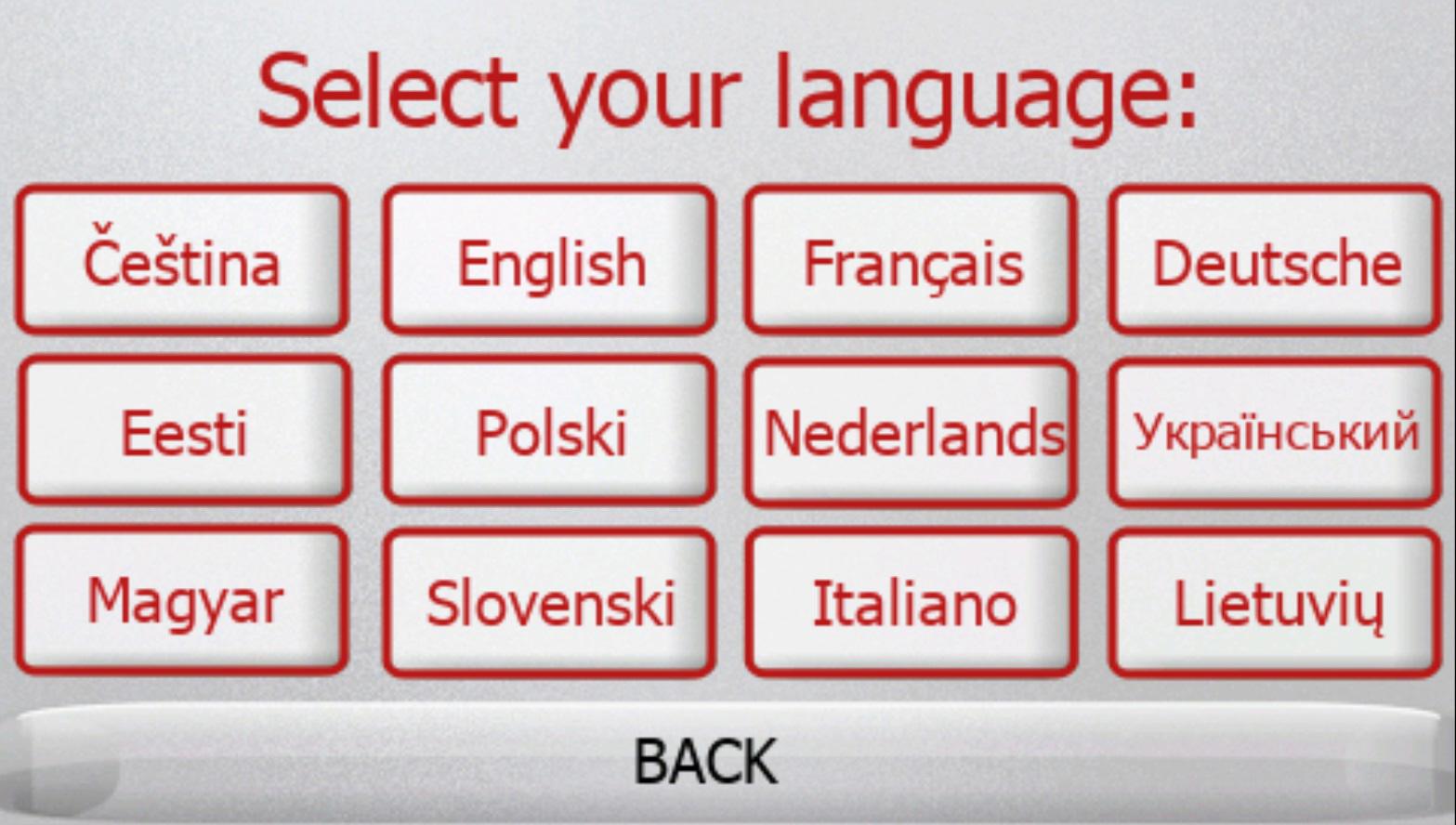
As part of sales development, the pGDx controller now offers a total of 12 language versions. With the latest software version, Lithuanian has become the most recently added language. All existing languages naturally remain available – English, German, French, Italian, Dutch, Polish, Ukrainian, Czech, Estonian, Slovak and Hungarian.
Easier PV integration
The pGDx controller enables highly efficient coordination between the heat pump and a photovoltaic power system. Communication with the PV inverter is essential in this respect. While inverter parameters can be configured manually, most commonly used inverter types are already preset. With software version 1118, the list has been expanded to include Solinteg inverters.
MasterTherm continues to innovate
A key area that MasterTherm will continue to develop is the monitoring of electrical energy consumption. At present, this function is available only for heat pumps equipped with an optional electricity meter. Energy consumption is displayed graphically or numerically on a monthly basis. In the future, it will be possible to evaluate consumption in greater detail over shorter time intervals and compare values within statistics.
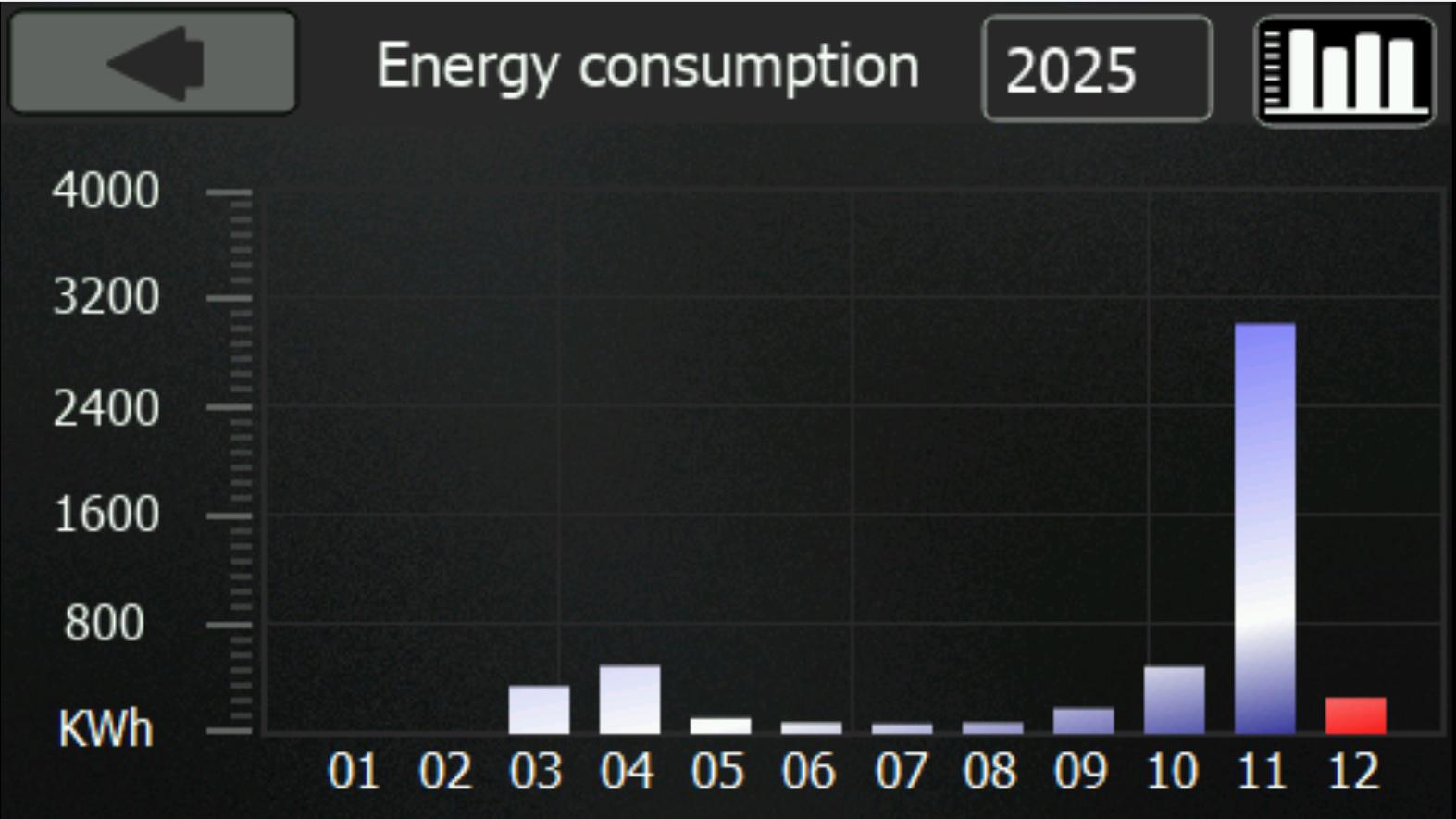
There are also plans for virtual energy consumption monitoring, which will be available even for already installed heat pumps without a physical electricity meter. In this case, consumption will be calculated based on compressor performance and operation. The system will then be able to determine how much energy has been used for heating, cooling or defrosting, and also calculate the seasonal performance factor.
Together with the new pGDx graphical interface, the design of the mobile application and the MasterTherm Online platform will also be unified in the near future. The visual identity of the control interfaces will thus remain consistent across all channels.
Practical information to conclude
- How can I get the new pGDx software?
The pGDx software will be updated automatically around the turn of January and February via its internet connection, so no user action is required. The entire process takes place without the need to confirm the update directly on the device. Proper installation of the update is additionally monitored by the service control centre, which also receives any error notifications and can resolve them remotely if necessary.
- What should I do if the new features do not appear?
The most common reason is an outdated version of the controller software. This can be checked directly on the pGDx display or by contacting the service hotline. The software update itself is carried out by a technician during a regular or other service visit. An overview of available pGDx features depending on the controller software version can be found in the pGDx user manual.